
Laptops are one of the most popular electronic devices that are used for work, study, entertainment, communication, and many other aspects. You can use your laptop for meetings, online classes, creative projects, research, and other tasks.
If you face any issues with your laptop, it will disturb your routine, and you may not be able to meet the deadlines or join important meetings. You can take your device to a laptop repair service for repair or replacement. This laptop repair blog will let you know about all the aspects related to repair or replacement.
Why Laptop Maintenance is Required
Laptops are made up of delicate hardware components, and dust may accumulate inside with time. Other issues that can create problems in the performance of the device include outdated software. accidental damage, heavy usage, no regular service, and more.
If you take your laptop regularly for service and maintenance, you can increase its lifetime. Don’t ignore minor problems, as they can become major ones with time, and you may have to go for costly repairs.
What are the Major Issues in a Laptop?
The major issues in a laptop are given below:
Slow Performance
The performance of the laptop becomes slow because of the following laptop problems:
- Many programs launch at startup
- The laptop has malware or viruses
- The RAM is not sufficient to run the programs
- The hard drive may be about to fill
- The operating system is outdated
Here are the solutions to eliminate the issue of slow performance:
- Unnecessary startup programs should be disabled
- A full antivirus scan is required
- Upgrade RAM
- Delete unused programs and temporary files
- Update the operating system and drivers
If these solutions do not work, you have to take your device to the laptop repair shop.
Overheating issues
If you find that your laptop has overheated and the fan is running loudly, it may happen due to dust accumulation, a faulty cooling fan, or dried thermal paste. To resolve these problems, avoid using the device on beds and clean the vents.
Battery Draining Quickly
The battery drains quickly due to age, many background applications, malware, and high screen brightness. You can close the unused applications and reduce the screen brightness. If these solutions do not work, you can take the device to a laptop repair service to replace the battery.
Laptop Not Turning On
Laptops may have a problem with their power button or motherboard, and they may not turn on when you click the button. The following laptop problems are the reasons behind this issue:
- Dead battery
- Faulty power adapter
- RAM issue
- Motherboard failure
You should check the power adapter and the outlet. Try direct power and remove the battery. These solutions will be sufficient to switch on your laptop. If they do not work, consult a laptop repair service.
System Crashes and Blue Screen
Your laptop may crash frequently or show a blue screen due to corrupt drivers, a failing hard drive, RAM errors, or malware. Such laptop problems need virus scans, driver updates, and running system diagnostics. If you are unaware of these solutions, consult a laptop repair service to resolve the issues.
Flickering or Broken Screen
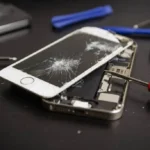
The screen of your laptop has lines, and you may not be able to view the content clearly. The screen may flicker, have black spots, or be completely blank. Physical damage, loose cables, and issues with the graphics card are the reasons for these issues. You can ask the laptop repair service provider to replace the screen with a new one.
Issues With Keyboard
Liquid spills, dust, debris, and driver issues are the main reasons that the keyboard does not work properly. You need to shut down the laptop if there is a liquid spill. Keyboard drivers can be updated so that the device can work properly. A professional laptop repair service is required if these solutions have no effect on the working of the keyboard.
Conclusion
A laptop is a popular device among students, professionals, and other users. Students use laptops to complete their assignments and attend online classes, while professionals use them for meetings, communication, and a lot more.
People also use the device for entertainment. A laptop may have many issues over time, like the battery draining quickly, a flickering screen, a keyboard not working, and many more. You can take the device to a laptop repair service to resolve these issues.
Frequently Asked Questions (FAQs)
How do I know if my laptop needs professional laptop repair?
If your laptop has hardware issues like screen damage, motherboard failure, or persistent crashes after troubleshooting, you should seek professional laptop repair service.
What are the most common laptop problems?
The most common laptop problems include slow performance, overheating, battery issues, broken screens, keyboard malfunction, and hard drive failure.
How long does a typical laptop repair take?
Most basic laptop repair tasks take 1–3 days. Complex repairs, such as motherboard replacement, may take longer.
Is it worth repairing an old laptop?
If the repair cost is less than 50% of a new laptop’s price and the device meets your needs, laptop repair is often worthwhile.
Can overheating permanently damage my laptop?
Yes, continuous overheating can damage internal components, leading to expensive laptop repair.